
A cleaner internet without ads, trackers and phishing
XIBRO SHIELD protects your devices from intrusive ads, trackers and dangerous websites – without changing your IP address or your country.
- For iPhone, Android, Windows, macOS and routers
- Set up in a few minutes
- Your IP address stays the same
- Servers & data in Germany (GDPR)
Your DNS queries are filtered on our servers in Germany. The GDPR applies.
Your public IP address and your location stay the same.
Payments are handled by established payment providers.
If you have questions, you get direct help instead of an anonymous ticket queue.
The internet has become aggressive
Ads are getting more intrusive, trackers quietly collect data, and phishing sites are getting harder and harder to spot. This doesn’t only affect tech experts – it affects everyone who uses the internet every day.
Ads everywhere
Banners, pop-ups and ads interrupt you while you read, work and browse. They distract you, use up data and make many websites needlessly slow.
Trackers in the background
Many websites and apps quietly collect information about your behaviour. This turns into user profiles that often follow you across different services.
Phishing keeps getting smarter
Fake websites often look deceptively similar to the real thing. One wrong click can be enough to give away personal data or login details.
XIBRO SHIELD protects you before you notice anything
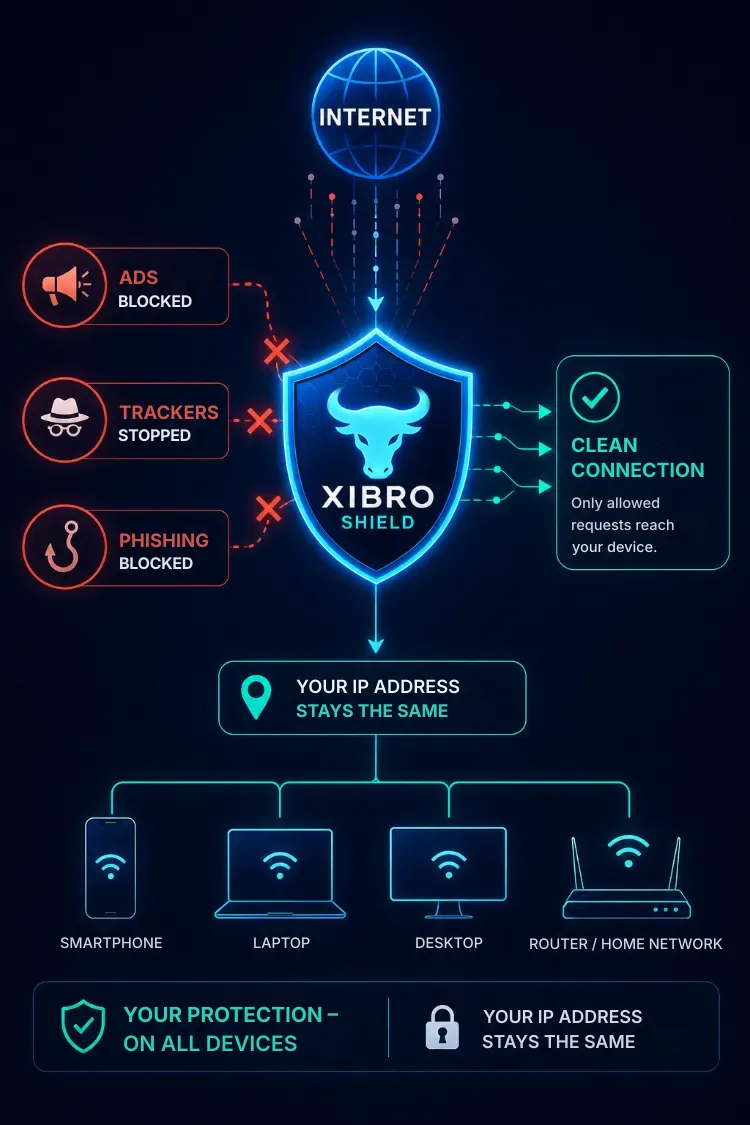
Whenever you browse, work or play, your device keeps connecting to all kinds of internet services. XIBRO SHIELD checks these requests automatically and blocks known ad, tracking and phishing domains before they reach your device.
You don’t need to understand complicated settings or block individual websites by hand. The protection works automatically in the background.
- Blocks known ad, tracking and phishing domains
- Works automatically in the background
- Your IP address and your location stay the same
You browse as usual. XIBRO SHIELD takes care of the rest.
Fewer distractions.
Calmer browsing.
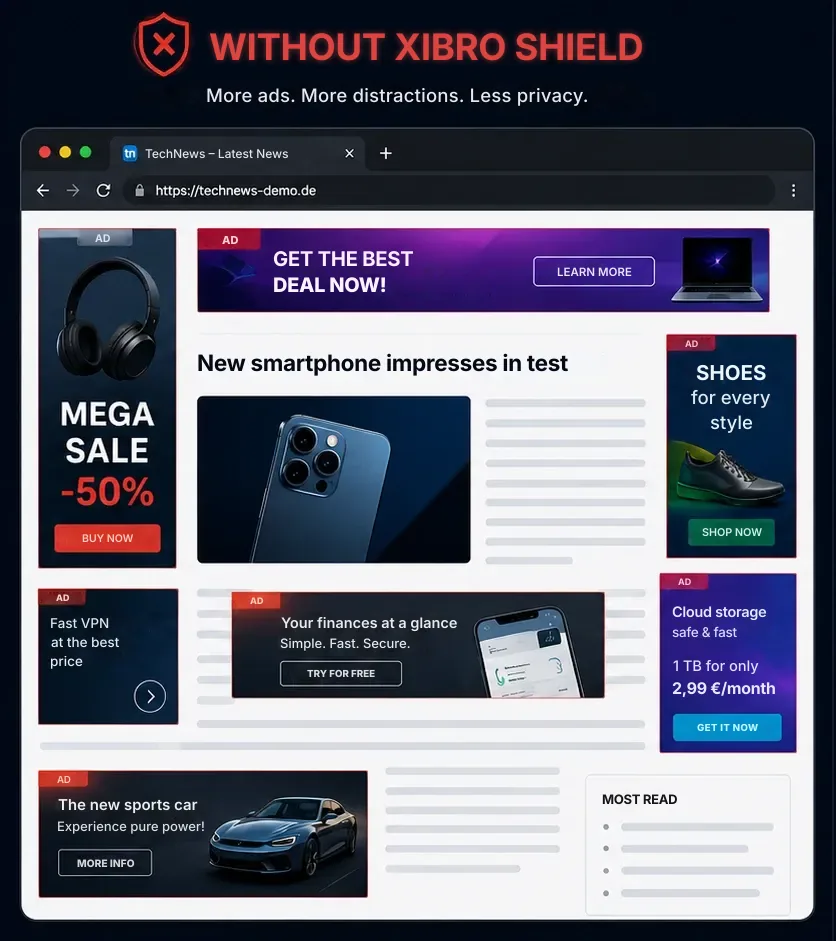
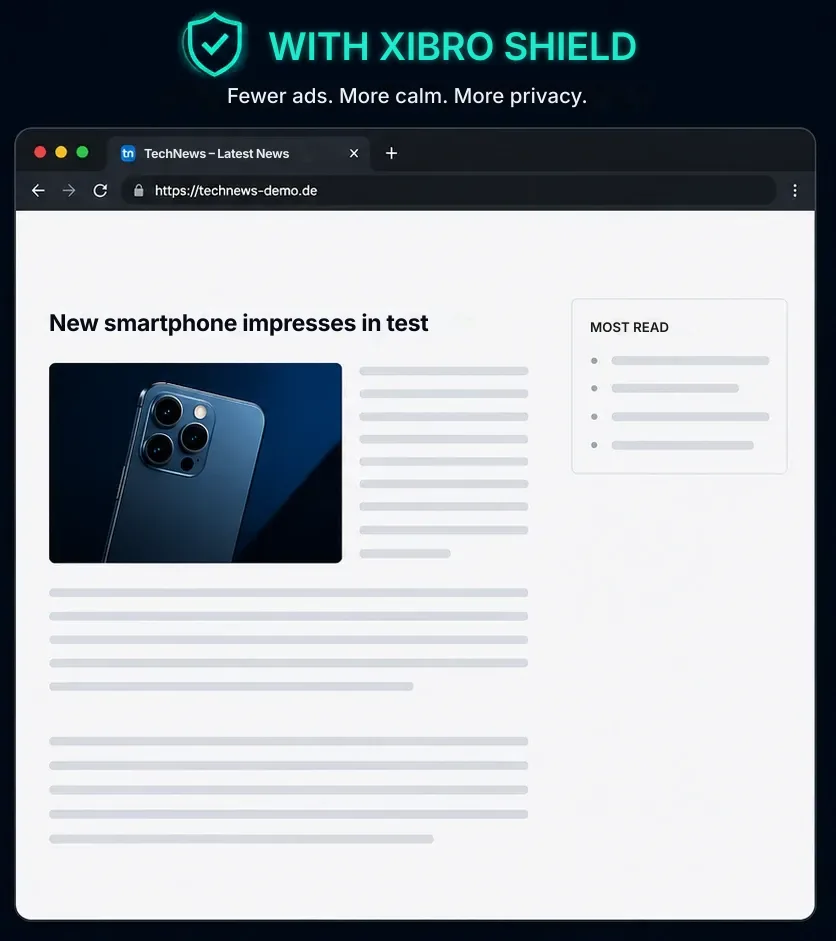
Besides the actual content, many websites also load ads and tracking services. XIBRO SHIELD blocks known ad and tracking domains in the background – for tidier, more pleasant browsing.
Fewer ads
Many known ad domains are blocked before content loads.
Less tracking
Known tracking services can collect less data about how you browse.
More calm
Fewer distracting elements make browsing more pleasant.
What XIBRO SHIELD
makes easier for you
Fewer interruptions, more privacy and protection that works automatically in the background – on your devices and, if you like, across your whole home network.
Fewer annoying ads
Known ad domains are blocked before many ads even load. That means tidier websites and fewer distractions.
More privacy every day
Known tracking services are blocked in the background, so they can collect less data about how you browse.
Extra protection against phishing
Known phishing and malware domains are blocked before a connection to them is made.
Protection on many devices
Use XIBRO SHIELD on your smartphone, tablet and computer, or protect several devices at once through a compatible router.
Your IP stays the same
Unlike a classic VPN, your public IP address and your virtual location stay the same.
Protection that fits your family
With your own profiles you set the right rules for each device – stricter for your children’s devices, as usual for your own. With youth protection and schedules if you want them.
Sound familiar?
XIBRO SHIELD is made for people who use the internet every day – at home, on the go or at work.

You want to protect your family better
As little contact as possible with annoying ads or dangerous websites – with a separate profile for your children’s devices and youth protection.

You work at a computer every day
Fewer distractions help you focus and make websites easier to use.

You use lots of devices
Smartphone, tablet, laptop or desktop – you don’t want to secure every device one by one.

You do a lot online
Banking, shopping or dealing with public authorities – you want known phishing domains blocked as early as possible.
Your privacy matters to you
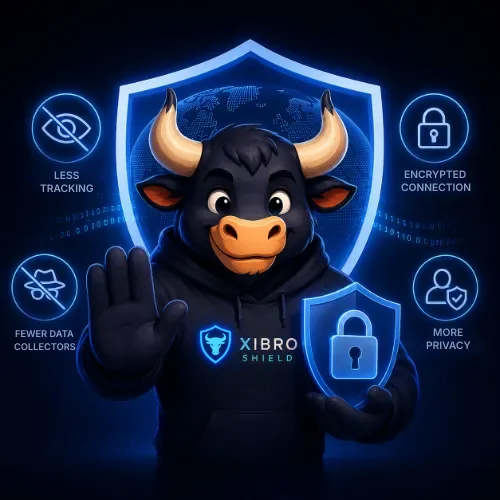
You don’t want as many tracking services as possible analysing how you browse.
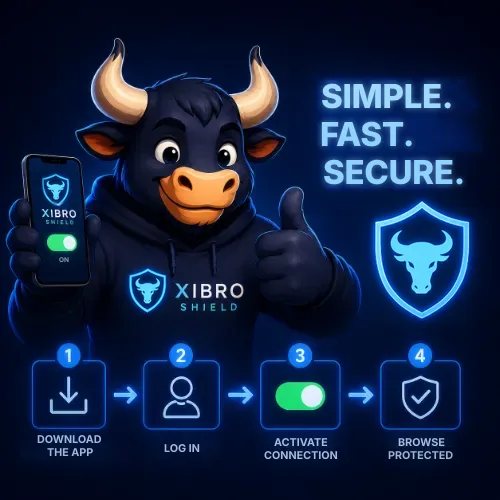
You want a simple solution
Once set up, XIBRO SHIELD works automatically in the background.
Did you recognise yourself more than once?
Then XIBRO SHIELD probably fits your everyday life perfectly.
Protection starts before a website loads
When your device wants to open a website, XIBRO SHIELD first checks the requested domain. This means known ad, tracking and phishing domains can be blocked early.
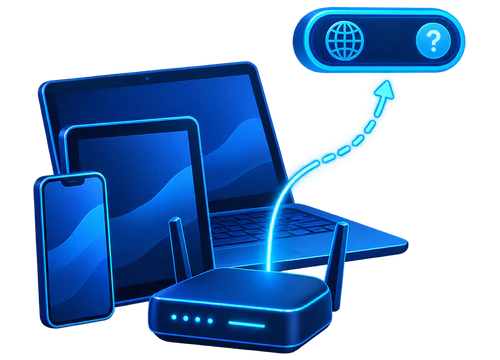
Your device makes a request
You open a website or an app on your smartphone, tablet, computer or in your home network.
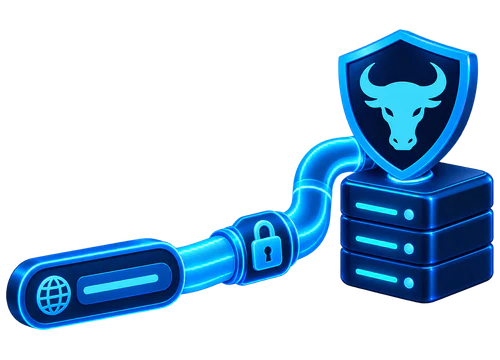
The request goes securely to XIBRO SHIELD
The DNS query is sent to XIBRO SHIELD over the protected WireGuard connection.
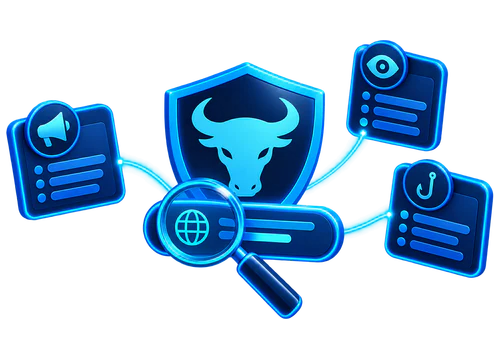
XIBRO SHIELD decides
The requested domain is checked against filter lists for ads, trackers and known phishing targets.
Allowed or blocked
Harmless domain
The website or app loads normally.
Filtered domain
The connection to that domain is blocked.
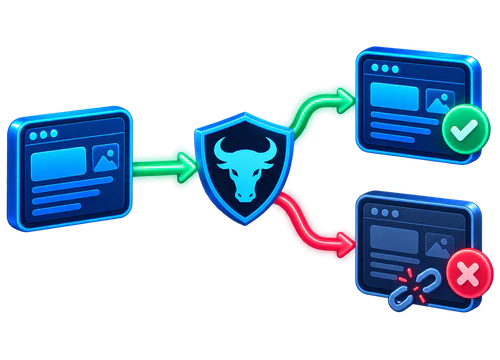
DNS filtering can block many annoying and risky domains, but it cannot detect every ad or every threat.
Your public IP address and your location normally stay the same.
Protected in a few steps
Choose a plan, set up XIBRO SHIELD on your devices and then browse with automatic protection.
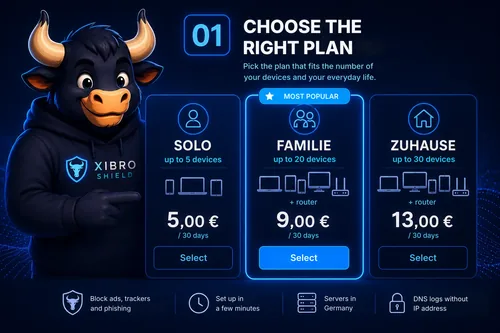
Choose the right plan
Pick the plan that fits the number of your devices and your everyday life.
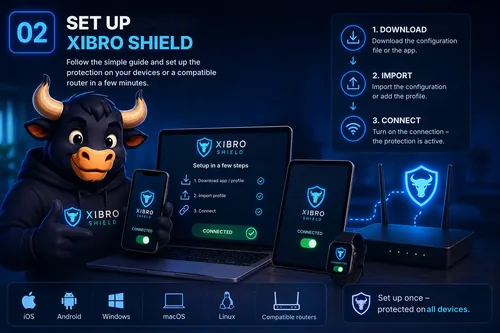
Set up XIBRO SHIELD
Follow the simple guide and set up the protection on your devices or a compatible router in a few minutes.
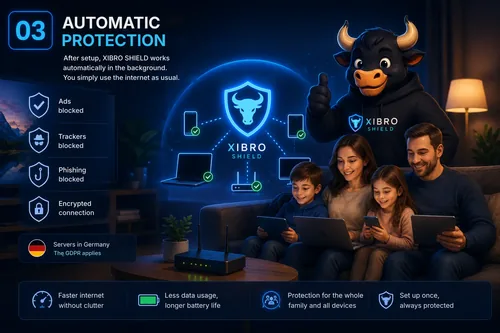
Browse with automatic protection
Once set up, XIBRO SHIELD works automatically in the background. You simply use the internet as usual.
Set it up once.
After that, the protection runs automatically in the background.
What happens after you order?
After your order you receive everything you need to set up XIBRO SHIELD. We guide you from the first step to active protection on your devices.
And if you have questions during setup, you are not on your own. Our personal support will help you.
30-day money-back guarantee
Take your time to try XIBRO SHIELD. If the service isn’t right for you, you can get a refund within 30 days. The guarantee applies to plans paid by card.
One protection for your most important devices
Use XIBRO SHIELD on your smartphone, tablet and computer – or protect your home network through a compatible router.
Windows
PC and laptop
macOS
MacBook and Mac
Android
Smartphone and tablet
iPhone & iPad
iOS and iPadOS
Linux
Desktop and laptop
Router
For compatible models
Setup uses a personal configuration and a clear step-by-step guide.
Profiles, youth protection and schedules are available in the FAMILIE and ZUHAUSE plans. Router setup is also available from FAMILIE and requires a compatible router model.
Choose the protection that fits your everyday life
Pick the plan that fits the number of your devices and your needs. All plans protect against known ad, tracking, phishing and malware domains.
SOLO
- Up to 5 devices (Fair Use)
- Protection against ads, trackers, and phishing
- Device management
- Whitelist and blacklist: 15 domains each
- Basic support: reply within 48 h

FAMILIE
- Up to 20 devices + router (Fair Use)
- Protection against ads, trackers, and phishing
- Profiles & Youth protection (up to 3 profiles)
- Schedules for profiles
- Youth protection always on or by schedule
- Advanced filtering per profile: extra protection against ads, trackers and app telemetry
- App blocking per profile: YouTube, TikTok, Instagram, Facebook
- Home network protection via a compatible router
- Central device management
- Whitelist and blacklist: 30 domains each, assignable per profile
- Priority support: reply within 24 h
ZUHAUSE
- Up to 30 devices + router (Fair Use)
- Protection against ads, trackers, and phishing
- Profiles & Youth protection (unlimited profiles)
- Schedules for profiles
- Youth protection always on or by schedule
- Advanced filtering per profile: extra protection against ads, trackers and app telemetry
- App blocking per profile: YouTube, TikTok, Instagram, Facebook
- Home network protection via a compatible router
- Central device management
- Whitelist and blacklist: unlimited, assignable per profile
- Premium support: same business day
SOLO
- Up to 5 devices (Fair Use)
- Protection against ads, trackers, and phishing
- Device management
- Whitelist and blacklist: 15 domains each
- Basic support: reply within 48 h
FAMILIE
- Up to 20 devices + router (Fair Use)
- Protection against ads, trackers, and phishing
- Profiles & Youth protection (up to 3 profiles)
- Schedules for profiles
- Youth protection always on or by schedule
- Advanced filtering per profile: extra protection against ads, trackers and app telemetry
- App blocking per profile: YouTube, TikTok, Instagram, Facebook
- Home network protection via a compatible router
- Central device management
- Whitelist and blacklist: 30 domains each, assignable per profile
- Priority support: reply within 24 h
ZUHAUSE
- Up to 30 devices + router (Fair Use)
- Protection against ads, trackers, and phishing
- Profiles & Youth protection (unlimited profiles)
- Schedules for profiles
- Youth protection always on or by schedule
- Advanced filtering per profile: extra protection against ads, trackers and app telemetry
- App blocking per profile: YouTube, TikTok, Instagram, Facebook
- Home network protection via a compatible router
- Central device management
- Whitelist and blacklist: unlimited, assignable per profile
- Premium support: same business day
Not sure yet?
Try XIBRO SHIELD free for 7 days on one device – no account and no payment details.
Full control over renewal
Auto-renewal is switched off by default. You decide whether your plan renews automatically when it runs out.
30-day money-back guarantee
If XIBRO SHIELD isn’t right for you, you can get a full refund within 30 days. The guarantee applies to plans paid by card.
Secure payment processing
Your payment is processed through secure and reliable payment processing.
Hosted in Germany
The XIBRO SHIELD infrastructure is operated in Germany.
XIBRO SHIELD is not a classic VPN service
XIBRO SHIELD uses WireGuard as a secure connection for DNS filtering. Your normal internet traffic still goes through your internet provider.
Classic VPN service
For a different IP address and a different virtual location.
- All internet traffic is routed through a VPN server.
- The visible IP address can change.
- Websites may see a different country or location.
- Often used to change location or to access regional content.
Goal: change your connection and location

XIBRO SHIELD
DNS-based protection for your normal internet access.
- DNS queries are filtered over a protected WireGuard connection.
- Your public IP address normally stays the same.
- Your country and your usual internet access stay the same.
- Ads, trackers and known phishing domains can be blocked at the DNS level.
Goal: block annoying and risky domains
In short: a classic VPN changes the route of your connection. XIBRO SHIELD focuses on filtering DNS queries.
XIBRO SHIELD is not designed to change your virtual location or to get around regional restrictions.
Why I built XIBRO SHIELD
The internet has become part of everyday life. At the same time, ads, tracking and digital threats are getting harder and harder for many people to keep track of. There are plenty of technical solutions – but they are often complicated, hard to understand or difficult for ordinary users to set up.
That is exactly why I built XIBRO SHIELD: a solution meant to make digital protection easier to understand and easier to access. My goal is to give people and families more control over their digital everyday life – without unnecessary technical hurdles.
For me, XIBRO SHIELD is not just a service. It is a project I keep developing with personal responsibility. That is why clear terms, transparent pricing and personal support matter so much to me.
Sviatoslav Lohvinov
Founder of XIBRO SHIELD

Any questions? Here are the answers.
The most important answers about setup, devices, routers, plans and using XIBRO SHIELD – explained simply and clearly.
What exactly is XIBRO SHIELD and how does it work?
XIBRO SHIELD is a DNS-based protection service. Your devices’ DNS queries are processed over a protected connection and checked against filter lists. This means known ad, tracking, phishing and malware domains can be blocked before a connection to them is made.
Once set up, XIBRO SHIELD works automatically in the background – you don’t have to switch the protection on again every time.
Is XIBRO SHIELD a classic VPN service?
No. XIBRO SHIELD is primarily a DNS-based protection service, not a classic VPN service for changing your public IP address or your virtual location.
WireGuard is used for the protected connection to XIBRO SHIELD. Your normal internet traffic still goes through your internet provider.
Which devices can I protect with XIBRO SHIELD?
XIBRO SHIELD works on many common devices, including smartphones, tablets and computers running Android, iOS, Windows, macOS and Linux.
Depending on your plan, you can protect up to 5, 20 or 30 devices. With FAMILIE and ZUHAUSE you can also use it through a compatible router.
Can I use XIBRO SHIELD with my router?
Yes. With the FAMILIE and ZUHAUSE plans you can use XIBRO SHIELD through a compatible router.
Your router needs to support WireGuard. Suitable devices in your home network can then be protected centrally through the router.
What are profiles and youth protection?
Profiles let you split your devices into groups and set separate filter rules for each group – for example one profile for your children’s devices, one for guests or one for your work devices. Everything works as usual on your other devices.
You can assign your whitelist and blacklist entries to individual profiles – so an allowed or blocked domain only applies to the devices of that profile. The maximum number of entries applies to your whole plan, not per profile.
Youth protection is an extra filter level that you switch on for your whole subscription – it applies to all your devices. It blocks content that is not suitable for children and teenagers. You can keep it on permanently or by schedule – then it switches itself on and off at the times you choose, again for all devices. Schedules let you set the times when the internet is paused for the devices of a profile.
Profiles, youth protection and schedules are available in the FAMILIE and ZUHAUSE plans.
Do my IP address and location stay the same?
Yes. When you use XIBRO SHIELD normally, your public IP address is not replaced by a VPN IP address and your virtual location does not change.
Your internet traffic still goes through your internet provider, while XIBRO SHIELD processes the DNS queries and can block known unwanted domains.
What happens after you order?
After payment you automatically receive your configuration and a clear guide by email. You can also find the important information and features in “My account”.
Then you set up XIBRO SHIELD on your devices or a compatible router following the guide. If you have questions, our support will help you.
Does my plan renew automatically?
Not automatically from the start. Auto-renewal is switched off by default.
You decide whether you want to turn it on in “My account”. If it stays off, your plan ends after 30 or 360 days. If it is on, your plan renews automatically for the chosen period when it runs out.
Can I try XIBRO SHIELD for free?
Yes. On xibro.de/en/free-trial you can try XIBRO SHIELD free for 7 days on one device – no account and no payment details. All protection features are switched on, and the trial ends by itself, with nothing to cancel.
Our step-by-step guide with screenshots shows how the trial works.
What if XIBRO SHIELD isn’t right for me?
All paid plans come with a 30-day money-back guarantee. If XIBRO SHIELD isn’t right for you, you can request a refund within the first 30 days.
That way you can try the service in peace and decide for yourself whether XIBRO SHIELD is the right solution for you.
Can I change my plan later?
Yes. You can change your plan and the term at any time in “My account”.
The change is scheduled first and takes effect automatically when your current plan runs out. Until then you keep using XIBRO SHIELD with your current plan and term as usual.
What do I do if I need help with setup?
If you have questions about setting up or using XIBRO SHIELD, our support will help you.
The response time depends on your plan: basic support within 48 hours, priority support within 24 hours or premium support on the same business day.
What does “Fair Use” mean for the number of devices?
The number of devices is a fair upper limit for normal household use. In case of unusually high load, we reserve the right to adjust performance to keep the service stable for everyone.
Ready for a calmer, safer internet?
Choose the right plan and set up XIBRO SHIELD on your devices or a compatible router in a few steps.
- 30-day money-back guarantee for card payments
- Auto-renewal switched off by default
- Personal support