You have set up a DNS filter so that fewer ads, trackers and phishing sites end up on your devices. Everything looks clean. But suddenly annoying ads appear again or certain sites are no longer blocked as expected. It feels as if the filter has secretly gone on holiday.
The reason may be a DNS bypass. Modern browsers and services sometimes use their own encrypted routes for DNS queries. That is not automatically bad. But it can mean that the filter rules you chose no longer apply.
Especially for students, people living alone or beginners, this topic is confusing. So we explain it simply: what happens with DNS queries, what DoH and Private Relay do, and why protection against DNS bypass matters.
What DNS has to do with ads, trackers and phishing
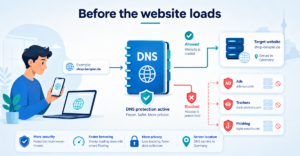
When you open a website, your device first asks which address is behind a domain. This request is called a DNS query. Put simply: your device asks for the signpost on the internet.
This is exactly where DNS filtering comes in. If a domain is known for advertising, tracking or phishing, the filter can block the query. The page or element is then never loaded in the first place. That saves nerves, reduces data trails and protects against many known scam sites.
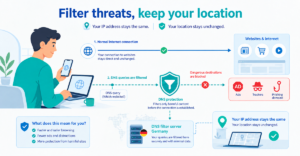
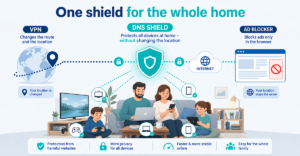
XIBRO SHIELD uses this approach via a WireGuard tunnel and Pi-hole-based DNS filtering. Important: it is not a classic VPN service. Your public IP address stays the same, and your connection country doesn’t change either.
Why DoH and Private Relay can bypass filter rules
DoH stands for DNS over HTTPS. DNS queries are sent encrypted over an HTTPS connection. That can make sense, because the query is harder to read along the way.
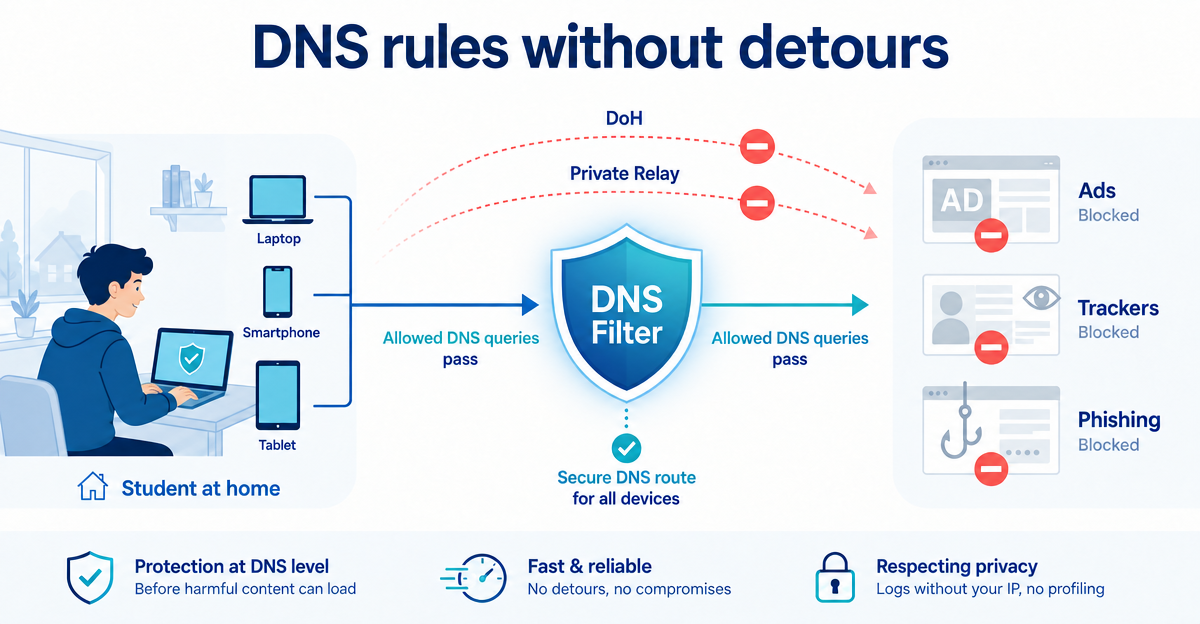
The problem arises when a browser or service then no longer uses the DNS filter you set up, but its own DNS provider. Then the query goes past the filter. Your rules are still there, but they are standing at the wrong door, so to speak.
Something similar can happen with services like Private Relay. They can use alternative routes for connections and DNS queries. For everyday use that sounds practical. For deliberately set-up filtering, however, it can mean that control becomes inconsistent.
What “No DNS bypass” means
“No DNS bypass” simply means: DNS queries should not secretly take detours. Instead they stay on the intended route so that the filter rules are applied reliably.
You can think of it like a shared flat’s kitchen. If everyone sticks to the cleaning rota, it stays clean. But if everyone invents their own rule, it quickly ends in sticky worktops and passive-aggressive notes on the fridge.
XIBRO SHIELD has the “No DNS bypass” switch in your account for this in all plans – including SOLO. It is switched off by default. When switched on, it blocks iCloud Private Relay and the DoH addresses of well-known providers such as Apple, Google, Cloudflare, Quad9 or NextDNS. That way the filters you chose stay active – whether you are studying on your laptop, scrolling on your phone or watching series on your tablet. It is not a guarantee against every bypass: an unknown DoH service that is contacted directly via an IP address cannot be recognised at DNS level.
Important: DNS filtering is one building block, not a magic wand
DNS filtering can reduce access to known ad, tracking and phishing domains. It makes the internet calmer and often safer. But it does not replace a complete security solution.
- Still don’t open suspicious attachments.
- Use strong passwords and two-factor authentication wherever possible.
- Keep your operating system, browser and apps up to date.
- Be careful with links in emails and messenger messages.
XIBRO SHIELD is designed to make this everyday life easier. Setting it up only takes a few minutes, it works on several devices and, in the FAMILIE and ZUHAUSE plans, it can also protect your home network via a compatible router.
Conclusion: a filter needs a reliable route
If DNS queries reveal which domains your device wants to reach, then the right DNS route is crucial. DoH, Private Relay and similar features can be useful, but they can also bypass filter rules you have set up.
If you block DNS over HTTPS or avoid DNS bypass, you make sure that your own rules don’t just exist on paper, but really apply in everyday life. That is exactly what XIBRO SHIELD is made for as a digital shield – without changing your IP address and without switching your connection country.
If you want a calmer, cleaner everyday internet, take a look at xibro.de and try XIBRO SHIELD. With the 30-day money-back guarantee you can test at your own pace whether it suits you.
NoteXIBRO SHIELD is currently still in the Early Access phase – plans can currently only be activated with an invitation code. Regular sales will start later.