The evening is actually going well. The homework is almost done, dinner is on the table, and then comes that one sentence: “Just five more minutes.” Five minutes turn into twenty. A reminder turns into an argument. And suddenly it is no longer about screen time, but about the mood in the whole household.
That is why many families try to simply switch off the internet for everyone at the same time. Sounds practical. But it rarely is. Parents may still need access to email or online banking. One child is doing homework. Another should have been asleep long ago. A single switch for everyone rarely suits real family life.
A good internet schedule for children should therefore not be one-size-fits-all. It should be able to distinguish: by person, age, device and time of day. This is exactly where profiles and schedules help, as XIBRO SHIELD offers them in the FAMILIE and ZUHAUSE plans.
Why one shared internet switch often causes arguments
When the whole home network is restricted at once, it always hits the wrong people too. The smart TV stops working, even though the parents only wanted to limit the children’s apps. The tablet for homework is offline, even though only social media was supposed to take a break.
The problem isn’t the rule itself. The problem is that it is too crude. Families don’t need a digital wrecking ball, but rather a light switch for each room. In other words, clear rules for individual profiles.
- A profile for younger children with an early bedtime.
- A profile for older children with more freedom.
- A profile for the parents without unnecessary restrictions.
- Separate rules for devices that should only be used at certain times.
Profiles make rules easier to understand
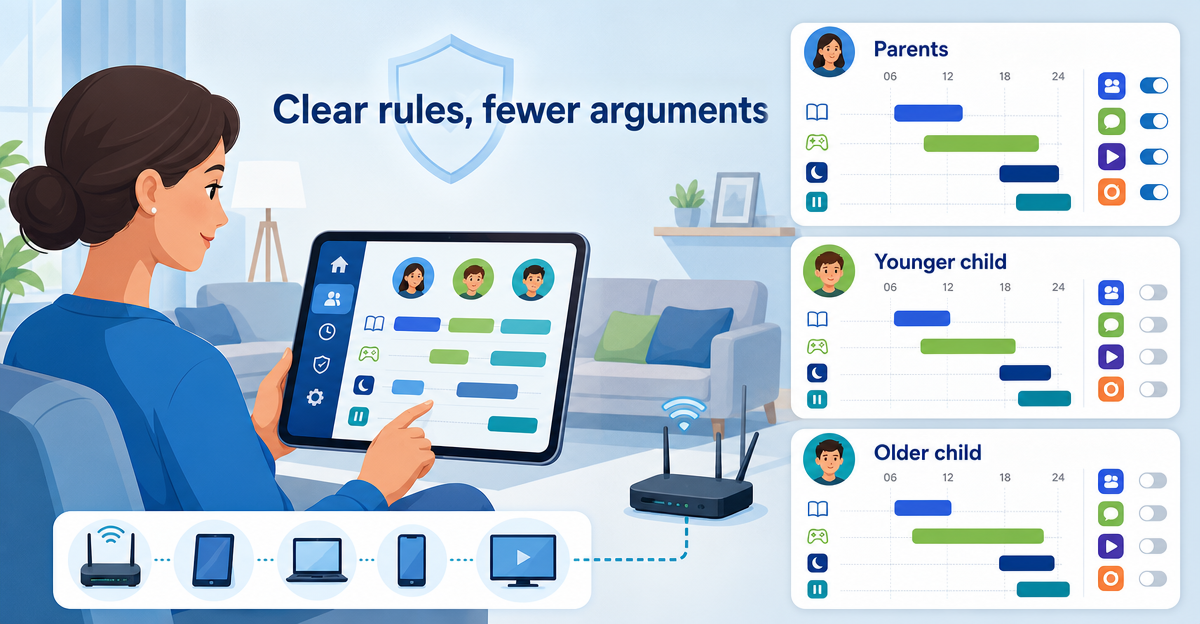
With XIBRO SHIELD FAMILIE you can use up to three profiles. That is enough for many households: for example parents, child 1 and child 2. The ZUHAUSE plan has profiles without a fixed limit, which is particularly handy for larger families or households with many devices.
The advantage is simple: rules no longer depend on the whole internet connection, but on the right profile. So a child’s tablet can be treated differently from the parents’ laptop. And a device for school doesn’t have to have the same limits as a device for free time and games.
ImportantYouth protection and schedules are available with XIBRO SHIELD in FAMILIE and ZUHAUSE, not in the SOLO plan. SOLO is good for individuals or for an easy start, but it is not designed for family rules with several profiles.
Schedules instead of daily negotiations
A schedule doesn’t take every decision off parents’ hands. But it takes a lot of repetition out of everyday life. If it is clear that an internet timeout applies to a child’s profile from a certain time, this limit doesn’t have to be renegotiated every evening.
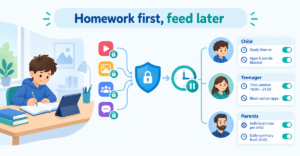
A schedule sets a time window for a profile during which the internet pauses for its devices – adjustable separately for each day of the week. That is useful if learning and research should be allowed during the day, but things should quieten down in the evening.
- In the afternoon: access for homework remains possible.
- Permanently: YouTube, TikTok & co. stay blocked in the child’s profile via a switch.
- At bedtime: a timeout helps everyone switch off.
- At the weekend: different times than during the week.
Limiting social media selectively
Not all internet use is the same. A maths explanation in the browser is something different from endless scrolling. That is why it helps if popular platforms can be blocked selectively at profile level.
With XIBRO SHIELD, YouTube, TikTok, Instagram and Facebook can be blocked for individual profiles via ready-made switches. That is easier than maintaining long lists of websites. And it is easy enough to understand that rules can also be explained in a family conversation.
This doesn’t create perfect control over every digital detail. That would be neither realistic nor healthy. But it does create a clear framework that reduces ads, trackers, phishing sites and unwanted distraction at DNS level.
Conclusion: less pressure, more structure
An internet schedule for children works best when it fits family life. Not everything off. Not everything on. But different rules for different situations.
XIBRO SHIELD helps families organise profiles, schedules and youth protection more easily. Important: with XIBRO SHIELD a schedule pauses the internet for all devices of a profile; YouTube, TikTok, Instagram and Facebook can be blocked permanently via a switch, not by time of day. Setting it up only takes a few minutes, the infrastructure is operated in Germany, and your IP address and connection country stay the same.
If you want to resolve daily arguments about internet time in a more relaxed way, try XIBRO SHIELD on xibro.de. A 30-day money-back guarantee applies to all plans in case the service doesn’t suit you.
NoteXIBRO SHIELD is currently still in the Early Access phase – plans can currently only be activated with an invitation code. Regular sales will start later.