When children are online, parents don’t want to have to sit next to them all the time. At the same time, the internet shouldn’t be locked down completely. Between homework, YouTube, gaming and the class chat, the right balance is often hard to find.
That is why many families ask themselves: is a parental control app enough? Should you set rules on the router? Or does a DNS shield for the whole home make more sense? The good news: there is no one perfect solution for everyone. But there are clear differences.
In this comparison we look at three typical options. Explained simply, without a fog of tech jargon. Because family protection shouldn’t only work after a computer science degree.
1. Parental control app: good for individual devices
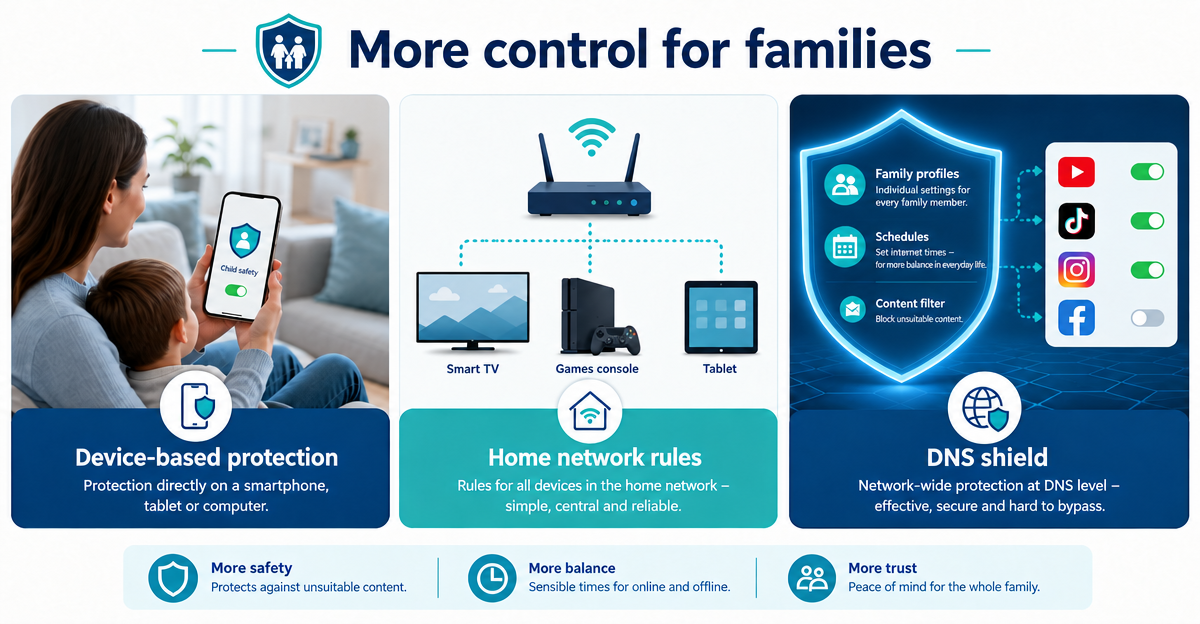
A parental control app is usually installed directly on the smartphone, tablet or computer. There it can help limit screen time, manage apps or block certain content.
The advantage is obvious: the rules sit directly on the child’s device. That is practical when it is about one particular smartphone or tablet. This can be very helpful, especially with younger children.
The disadvantage: every device needs its own setup. And some devices can’t easily be fitted with an app at all. Smart TVs, games consoles or older devices quickly slip through the net. Yet that is often exactly where YouTube, streaming or the browser end up on the big screen.
2. Router rule: one block for the home network
Many routers offer simple parental control functions. For example time windows for internet access or block lists for certain websites. That can be enough to start with.
The big advantage: a router solution also reaches devices on which no app can be installed. Such as smart TVs, consoles or visitors’ devices on the Wi-Fi. That is a real plus in everyday family life.
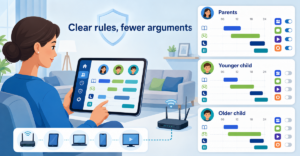
But simple router blocks are often crude. There are frequently only general time rules or simple domain lists. Profile-based differences are not always convenient: the schoolchild needs different rules than the teenager, and the parents would rather not accidentally block their own streaming library. Family peace is a security goal too, after all.
3. DNS shield: rules for domains across the whole household
A DNS filter works on a different level. Put simply, it checks which internet addresses may be called up and which may not. This way ads, trackers and phishing sites can already be blocked at DNS level.
XIBRO SHIELD uses exactly this approach via a secure WireGuard tunnel and Pi-hole. Important: unlike a classic VPN, XIBRO SHIELD changes neither your public IP address nor your connection country. It is not about pretending you are somewhere else. It is about a cleaner and safer everyday life online.
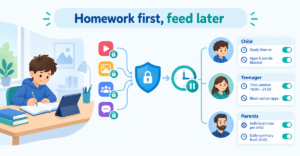
It gets particularly interesting for families when rules don’t just apply in general, but per profile. The FAMILIE and ZUHAUSE plans have profiles with their own rules and schedules for this. Parents can, for example, set different rules for children, teenagers and adults. In addition, youth protection can be switched on – it applies to the whole subscription, that is, to all devices.
Ready-made switches for YouTube, TikTok, Instagram and Facebook are also handy. Instead of maintaining long domain lists, rules can be set more easily per profile. That saves time and nerves.
What DNS filtering can do – and what it can’t
A DNS shield can block domains. That is strong against many ad, tracking and phishing addresses. It can also make access to certain platforms or services harder or prevent it.
But the limit is important: DNS filtering does not analyse every single piece of content within an allowed platform. If YouTube is allowed, the DNS filter does not assess every single video the way a person would. For many families, a combination therefore makes sense: clear conversations, device settings and technical rules that make everyday life easier.
- Parental control app: strong on individual devices.
- Router rule: practical for the whole home network, but often crude.
- DNS shield: helpful for profile-based rules, ads, trackers and phishing protection.
Conclusion: which solution suits your family?
If you only want to secure a single child’s device, a parental control app may be enough. If you want to include the smart TV, console and Wi-Fi devices, a router solution becomes more interesting. If you also want profile-based rules, schedules and DNS protection against ads, trackers and phishing, XIBRO SHIELD is a good addition to everyday family life.
XIBRO SHIELD is not a classic VPN service, but a digital shield for at home and on the go. Depending on the plan, one account can protect several devices – in FAMILIE and ZUHAUSE also via a compatible router. One shared rule applies to all devices behind the router; only a device with its own WireGuard connection gets its own profile. And if it doesn’t suit you, there is a 30-day money-back guarantee for all plans.
NoteXIBRO SHIELD is currently still in the Early Access phase – plans can currently only be activated with an invitation code. Regular sales will start later.
If you want to make family rules simpler, try XIBRO SHIELD on xibro.de.