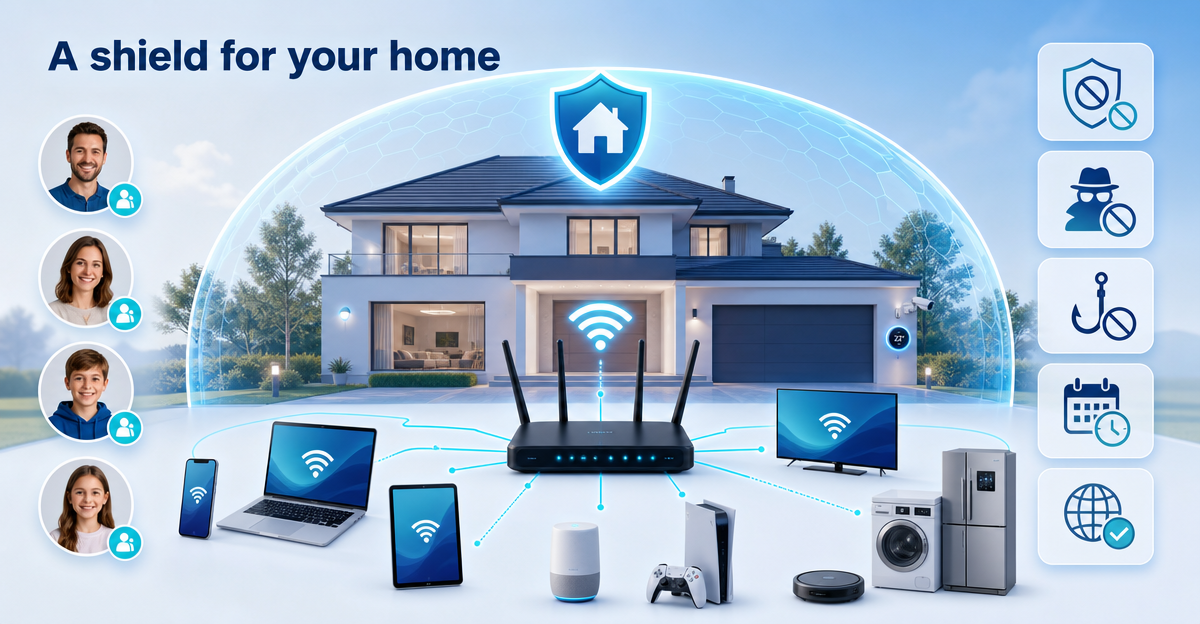
A large smart home sounds convenient at first. Lights, TV, games console, tablets, laptops, smartphones, maybe a few connected household appliances. Everything is online. And that is often exactly the problem: at some point nobody really knows which device does what any more.
Then there are ads, trackers and phishing sites. On the smartphone they are annoying, on the children’s tablet they are a worry, and with the smart TV you wonder: can you even set anything there? Spoiler: usually not very comfortably.
The ZUHAUSE plan from XIBRO SHIELD is designed for households where many devices should sit under one shared digital shield. Not as a classic VPN that changes your IP address or country. But as easy-to-understand DNS filtering for everyday life.
Many devices need a clear structure
ZUHAUSE covers up to 30 devices under fair use. That suits families, large flats, multi-generational households or smart homes with lots of digital companions. A smartphone here, a work laptop there, a tablet in the children’s room, a console in the living room. You know how it is.
The advantage is not just the number. What matters is central management. You see your devices in your personal area and can organise rules more easily instead of hunting around on each device separately.
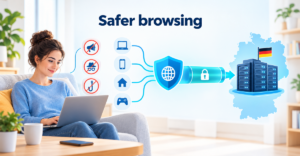
DNS filtering blocks ads, trackers and known phishing sites at DNS level. Put simply: before a device calls up an internet address, it is checked whether this address should be blocked. Only the DNS queries go through the tunnel; the rest of your internet traffic continues directly as usual.
Unlimited profiles for people and situations
In ZUHAUSE you can create profiles without a fixed limit. That is handy when different people or usage situations need different rules. For example a profile for parents, one for children, one for school devices or one for particularly quiet evening hours.
Each profile can have its own rules. These include app blocking for YouTube, TikTok, Instagram and Facebook. These blocks apply permanently once they are switched on. Limiting individual apps by time is not what they do.
Internet breaks on a schedule can also be organised per profile. For example for the night or for homework time. During the break, the DNS queries of the devices in this profile pause. This works particularly reliably together with the “No DNS bypass” option. To be fair, though: connections that are already open are not cut off hard, and XIBRO SHIELD does not promise absolute control.
Router protection for smart TV, console and household appliances
Many devices don’t allow you to simply install additional protection apps. Smart TVs, consoles or connected household appliances are good examples. With ZUHAUSE you can add a compatible WireGuard router and thus extend DNS filtering to your home network.
This is particularly convenient because devices behind the router do not count towards the device limit. At the same time it is important to know: all devices behind the router share the same filter rules. A separate mix of profiles for the TV, console and fridge is not possible behind the router. In the statistics, the home network behind the router appears as one device: the router.
For many households this is still exactly the right solution. Because not every device needs special rules. Often clean basic protection against ads, trackers and phishing is enough.
More control without the tech drama
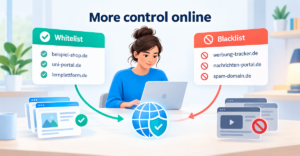
For your own exceptions, ZUHAUSE offers unlimited whitelist and blacklist domains. In households with many profiles this is helpful: specific domains can be assigned to specific profiles. That keeps control easy to understand without you having to build your own block lists.
Youth protection applies to your entire subscription – that is, to all your devices. It is not switched per profile and does not run on a schedule. This is important so that your expectations are right.
DNS filtering runs on our servers in Germany. This includes DNS logs without your IP address and with automatic deletion after 91 days. They are used for the statistics in your account, are not used for advertising and are not passed on.
For the billing period you can choose between 30 and 360 days. The 360-day plan already includes 120 free days: pay for 240 days – get 120 days free. Automatic renewal is switched off by default. You decide yourself whether your plan should renew automatically when it expires.
NoteXIBRO SHIELD is currently still in the Early Access phase – plans can currently only be activated with an invitation code. Regular sales will start later.
If your home has grown digitally and slowly needs some structure, XIBRO SHIELD ZUHAUSE is worth a look. Visit xibro.de and try XIBRO SHIELD as soon as you have access.