It is 4 pm. The maths homework is on the table, the phone right next to it. After five minutes TikTok lights up, after ten minutes your child is deep down the video rabbit hole. Sound familiar? Then you are in good company.
That is why many parents collect devices every day. It is exhausting and often ends in arguments. Switching off the whole Wi-Fi is no solution either, because it also hits the adults who are working or streaming at the time.
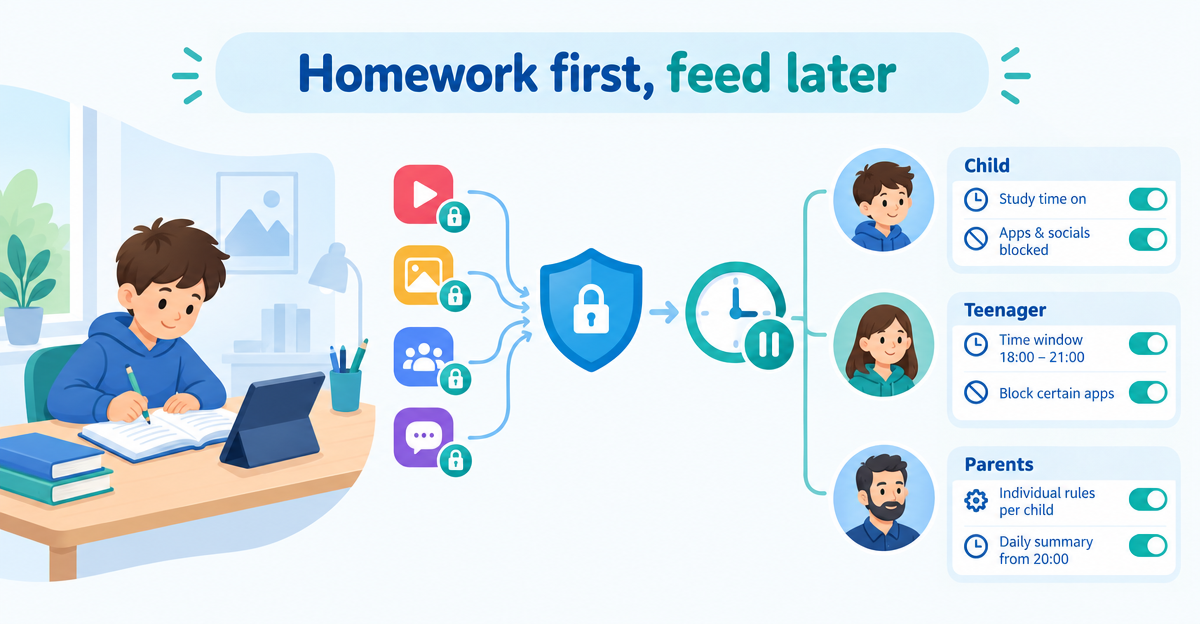
There is an easier way: you can block social media during homework without playing bouncer every afternoon. Profile rules and schedules that kick in automatically make this possible.
Block permanently: TikTok, YouTube, Instagram and Facebook
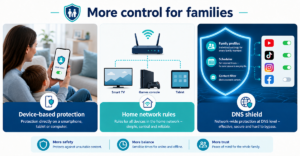
XIBRO SHIELD is a DNS filtering service. DNS is something like the phone book of the internet: your device asks there where a site can be found. This is exactly where we filter ads, trackers and phishing. Only the DNS queries go through the tunnel. Your IP address and your location stay the same. DNS filtering runs on our servers in Germany.
In FAMILIE and ZUHAUSE you can use ready-made switches for YouTube, TikTok, Instagram and Facebook per profile. Important: these blocks apply permanently, not by time of day. There is no block that applies only during homework time.
One more detail: Facebook and Instagram share a network for images and videos. If Facebook is blocked, photos and videos no longer load in Instagram. So the two cannot be blocked independently of each other.
Schedules: the internet break for a profile
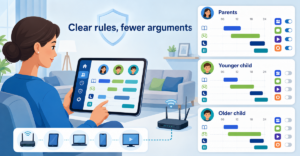
With a schedule, the internet of a profile’s devices pauses during a time window, set separately for each day of the week. For example at night, at bedtime. Individual apps cannot be limited by time; the break applies to the whole profile.
This works most reliably together with “No DNS bypass”. This switch in your account is off by default. Without it, a device with its own encrypted DNS can get around the break. The break also does not end connections that are already open. So it is not a miracle cure, but solid help in everyday life.
Different rules for children and adults
- FAMILIE offers up to 3 profiles, ZUHAUSE profiles without a fixed limit.
- The child’s profile gets blocks and schedules, your own profile stays unrestricted.
- Youth protection applies to your entire subscription, that is, to all your devices. You cannot assign it to a single profile.
- Devices behind a router share the same filter rules. Only a device with its own configuration gets its own profile, such as your child’s smartphone or laptop.
Rules don’t replace conversations
Technology can support clear family agreements, but cannot replace them. Talk together about why there is a break from TikTok in the afternoon. That way the rules feel fairer and are more likely to be accepted. XIBRO SHIELD replaces neither media education nor the parental controls of devices and operating systems. No filter can promise absolute security.
Conclusion
Fewer arguments, more concentration: with profile rules and schedules you take pressure off everyday family life without restricting the whole home network. If you would like to know how XIBRO SHIELD does this, take a look at xibro.de.
NoteXIBRO SHIELD is currently still in the Early Access phase – plans can currently only be activated with an invitation code. Regular sales will start later.