You open a weather app. All you really want to know is whether you need a jacket. In the background, however, the app may be contacting analytics, advertising or tracking services at the same time. This often happens in fractions of a second. You don’t see any of it.
It is similar on websites. A page does not just load the visible content. Often further building blocks from external services are added: statistics, ads, fonts, videos or measurement services. Some of them are harmless. Others follow how you use apps and websites.
If you want to block trackers in apps, you first need to understand where these connections come from. This is exactly where DNS filtering comes in. It is not a magic wand, but very practical protection in everyday life.
What happens when an app starts?
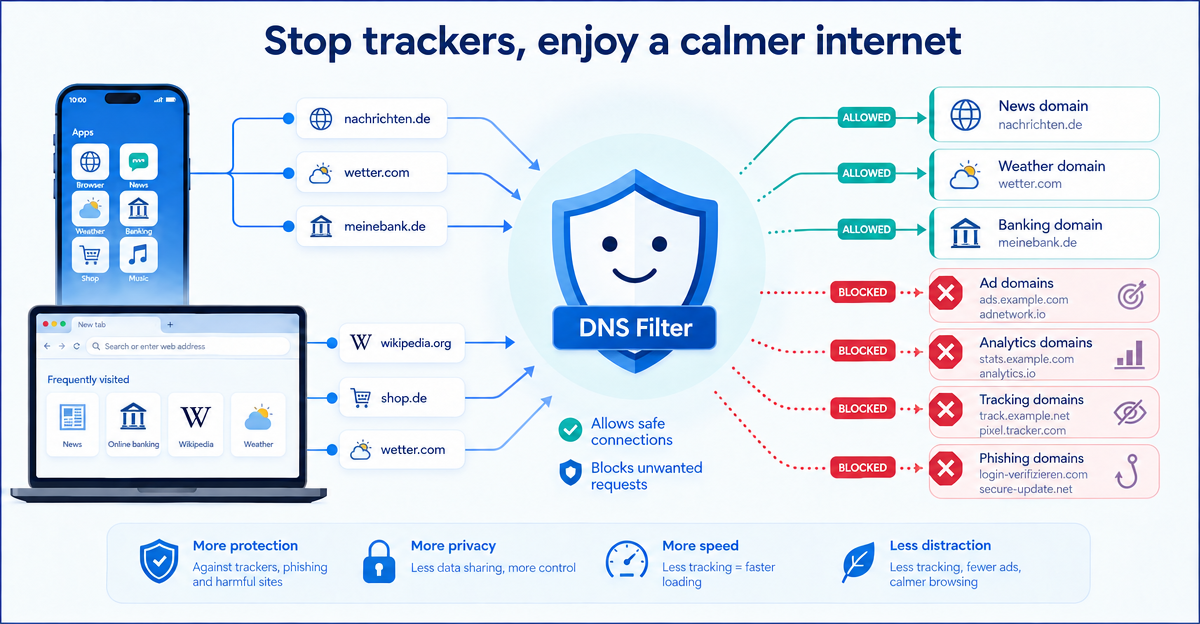
When you open an app, your device requests various internet addresses. These may be the app’s own servers. But they can also be external domains, for example for advertising, usage analysis or error reports.
A domain is a readable address such as example.com. Your device first has to translate this address into a technical destination address. This request is called a DNS query. You can think of it as a phone book for the internet.
Many trackers work through exactly such external domains. The app requests them, loads additional content or reports usage data. Not every connection is automatically dangerous. But many of them are hard for you as a user to follow.
How a DNS filter can step in
A DNS filter checks which domains your device wants to request. If a domain is known for advertising, tracking or phishing, the request can be blocked. Then the connection is never established in the first place.
This is where XIBRO SHIELD comes in. The service filters DNS queries and can block known ad, tracking and phishing domains. DNS filtering runs on our servers in Germany. Only the DNS queries go through the tunnel; the rest of your internet traffic continues directly as usual.
ImportantYour public IP address does not change, and your connection country stays the same too. So XIBRO SHIELD is not a classic VPN, but a digital shield for cleaner browsing in everyday life.
Why this helps across devices
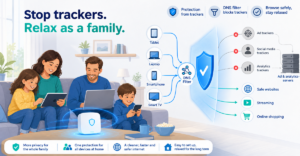
Many people use more than one device. Smartphone, laptop, tablet – and suddenly every device is sending a little data on the side. If you want to block trackers in apps, it is tedious to hunt around on each one separately.
With XIBRO SHIELD you can protect several devices via one account, up to 30 devices depending on the plan. For ordinary users that means: fewer ads, fewer tracking requests and a better overview, without complicated tech sessions at the kitchen table. Nobody wants to read router manuals voluntarily after work. Well, almost nobody.
In your personal area you can also see statistics on filtered queries. DNS logs are stored without your IP address and deleted automatically after 91 days.
What DNS filtering does not replace
DNS filtering reduces many unwanted connections. But it does not replace a careful approach to app permissions. If a torch app wants access to your contacts, location and microphone, it is fine to be suspicious.
So check regularly which permissions your apps have. Remove apps you no longer use. Download apps from official stores whenever possible. And don’t click on suspicious links, even if they look like a message from a parcel service.
XIBRO SHIELD complements these habits. It does not do your thinking for you, but it blocks many known troublemakers right at the DNS query. That makes everyday digital life calmer and clearer.
Conclusion: a small request, a big effect
Tracking often starts invisibly: when you open an app, load a website or load external content. A DNS filter can step in right there and stop known ad, tracking and phishing domains.
If you want to block trackers in apps and protect your everyday internet use more easily, take a look at XIBRO SHIELD on xibro.de. You can currently try the service with an invitation code and see how much calmer your internet can become.