If your browser or an app reports “trackers blocked”, that is good news: a website wanted to load a service in the background that follows your browsing behaviour, and the protection prevented it. It is not a virus warning, and as a rule you don’t need to do anything – the site usually keeps working completely normally.
Here you can find out where the message comes from, what a tracker actually is, when a block does occasionally get in the way and why the protection in your browser only covers part of your everyday digital life.
What does “trackers blocked” mean?
Alongside their own content, many websites embed small building blocks from other companies: analytics services, ad networks, like buttons or embedded videos. Some of these are used to recognise you across many sites and build up a profile of your interests. Such building blocks are called trackers.
If your device says “trackers blocked”, a protection mechanism has recognised and stopped one of these building blocks – or at least prevented it from recognising you. The number next to it shows how often this has happened. High numbers are normal: a single news or shopping site often embeds several such services.
Where the message appears
- Safari on iPhone, iPad and Mac: the Privacy Report shows how many trackers Safari has prevented from profiling you. You can find it in the address bar menu; depending on the iOS version, the way there looks slightly different.
- Firefox: the shield icon in the address bar stands for Enhanced Tracking Protection and lists what was blocked on the current page.
- Samsung Internet, Brave and other browsers with built-in tracking protection show similar counters.
- Privacy apps and DNS filters count blocked requests not only in the browser, but for all apps on a device.
The exact wording depends on the app and version. But the meaning is the same everywhere: a data collector was slowed down.
Is it dangerous? Do I have to do anything?
No. The message does not mean that your device has been attacked or that there is a virus on it. It only shows that the protection is working. You don’t have to confirm, install or delete anything.
Caution is only needed if a website itself appears with a warning such as “Trackers found – install protection app now”. Real protection features of browsers and operating systems never ask you to download anything. Such pop-ups are advertising, often with a subscription trap behind them: close the page, don’t tap anything.
If a site doesn’t work properly afterwards
Occasionally a feature depends on a service that counts as a tracker – then, for example, a video doesn’t load, a login window stays empty or a payment step gets stuck. Here is what to do:
- Reload the page. Often the protection wasn’t the cause at all.
- Set up an exception for this one site. In most browsers you do this via the shield or page menu in the address bar.
- Remove the exception again later if you don’t need it permanently.
Switching off the protection completely is almost never necessary.
Why browser protection only covers part of the picture
A browser’s tracking protection only works in the browser. Apps on your phone, games on your tablet or the smart TV in the living room also contact ad and analytics services – and your browser knows nothing about it. We explain in detail why apps do this in the article Blocking trackers in apps.
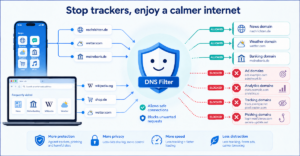
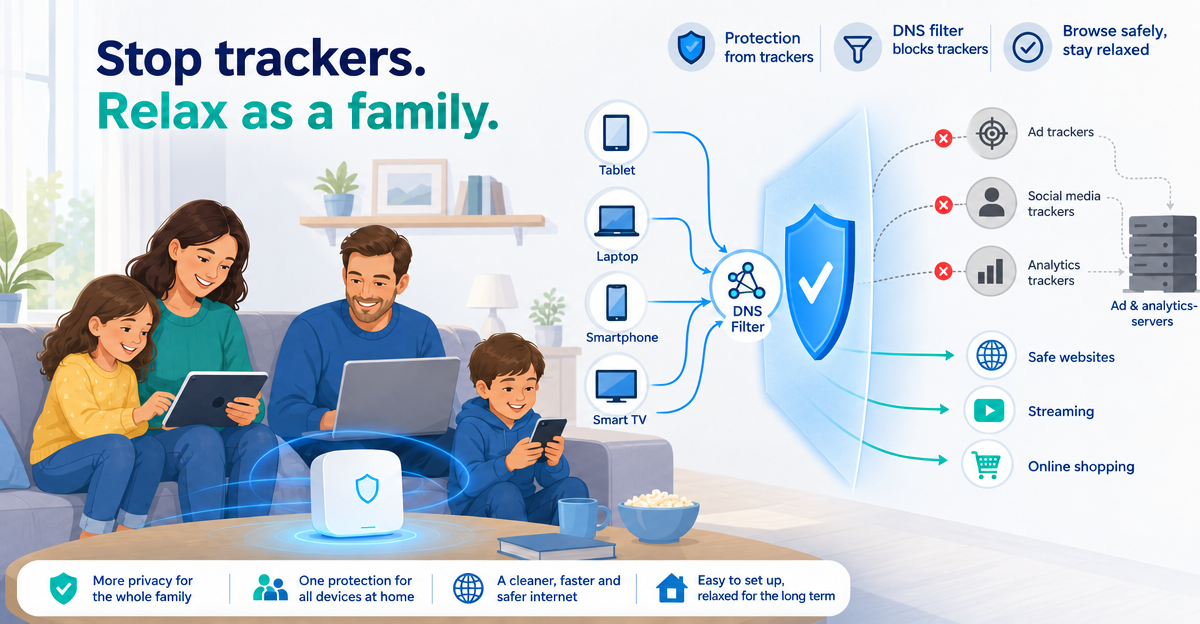
This is where a DNS filter comes in. Before a device reaches a service, it asks for its address on the internet. A DNS filter simply doesn’t answer this question for known ad and tracking addresses – for all apps on the device at the same time. How this works in detail is described in DNS filtering explained simply.
What XIBRO SHIELD takes care of – and what it doesn’t
XIBRO SHIELD is a DNS filter that works via a WireGuard connection. Only the DNS queries go through the tunnel; your IP address and your country stay the same – so it is not a classic VPN. DNS filtering runs on our servers in Germany.
Known ad, tracking and phishing domains are blocked, for all apps on every device with its own WireGuard configuration – also on the go, as long as the connection is switched on. In FAMILIE and ZUHAUSE a router can also be added. Then the protection applies to the whole home network, including the smart TV and console; all devices behind the router share the same filter rules. In your account you can see how many queries were filtered and which domains were blocked.
What a DNS filter can’t do:
- It doesn’t recognise ads that come via the same address as the actual content. That is why a DNS filter cannot remove ads inside YouTube or in the Instagram feed.
- It doesn’t prevent cookies and fingerprinting in the browser. Your browser’s tracking protection remains useful for that – the two complement each other.
- Not every tracker address is already on a list. A remainder always gets through.
And for children?
Children rarely get to see tracker messages, because they mostly use apps and games rather than a browser. Browser protection alone therefore doesn’t go very far for their devices. A filter at network level helps, but doesn’t replace a conversation about why “free” online is often paid for with data. How parents can combine the different options is shown in our comparison of parental control apps and DNS filters.
Frequently asked questions
Is “trackers blocked” a virus warning?
No. The message only shows that your browser or a protection app has stopped a data collector. It has nothing to do with viruses or malware.
Why does my iPhone show so many blocked trackers?
Safari adds up the prevented attempts over several days and across all the sites you visited. Because many sites embed several trackers, high numbers quickly add up. That is normal.
Can I hide the message?
You can usually hide the counter, in Safari for example on the start page. You should leave the protection itself switched on – it costs you nothing and only rarely gets in the way.
Does the browser also block trackers in apps?
No. The browser’s tracking protection only applies to websites you open in the browser. For apps, games and devices without a browser, you need protection at network level, for example a DNS filter.
Conclusion: a good sign, no cause for concern
“Trackers blocked” means: your protection is working. You don’t need to do anything, and if a site gets stuck now and then, an exception for exactly that site helps. If you want the same protection for apps, games and devices without a browser, you can find a DNS filter on xibro.de that starts exactly there.