In many families the internet has long stopped being a “one device, one problem” issue. There are the parents’ smartphones, the children’s tablets, laptops for school and work, maybe a smart TV and a console. And somewhere in between: ads, trackers, phishing sites and the question of who actually needs which rules.
This is exactly where a clear overview becomes important. Not every family member uses the internet the same way. A teenager needs different freedoms than a primary school child. And you can’t just put an app on the TV in the living room.
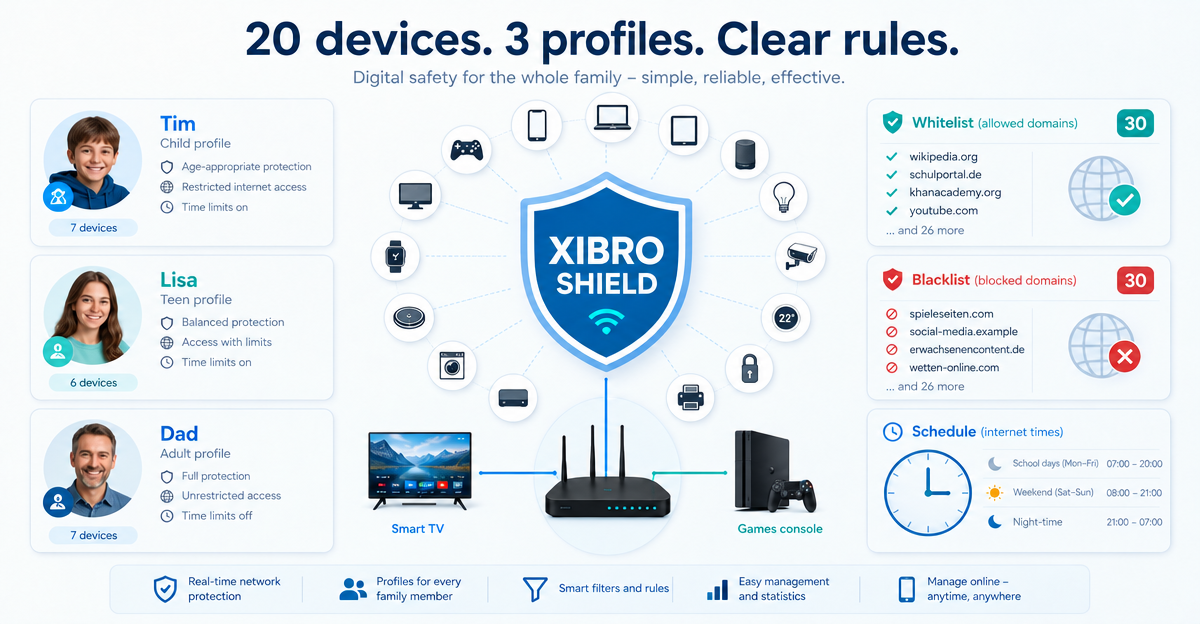
That is why the FAMILIE plan from XIBRO SHIELD is designed for ordinary households: up to 20 devices, up to three profiles, your own rules and optional protection for your home network via a compatible router.
Up to 20 devices plus a router for the home network
FAMILIE supports up to 20 devices under fair use. These include, for example, smartphones, tablets and laptops that are set up directly with XIBRO SHIELD.
In addition, a compatible WireGuard router can be used with FAMILIE. This extends DNS filtering to devices in the home network on which you normally don’t want to or can’t install anything: smart TV, games console or other devices in the living room.
- Up to 20 devices in the FAMILIE plan
- Router support for the home network
- Devices behind the router do not count towards the device limit
- All devices behind the router share the same filter rules
ImportantXIBRO SHIELD is not a classic VPN. Only the DNS queries go through the tunnel. Your normal internet traffic continues directly; your IP address and the country of your connection are not changed.
Three profiles for different rules
In a family, “one rule for everyone” is often too crude. That is why FAMILIE offers up to 3 profiles. This lets you organise devices or family members separately.
An example: one profile for the parents, one profile for a child and one profile for a school tablet. Each profile can have its own filter rules. That makes everyday life clearer without you having to struggle through complicated technology.
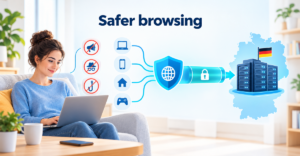
DNS filtering runs on XIBRO SHIELD’s servers in Germany. But the focus is not on the technology, it is on the simple question: which devices should get which rules?
30 of your own domains each for the whitelist and blacklist
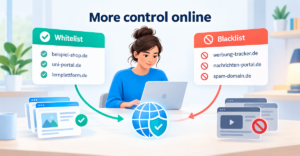
Sometimes a site should stay reachable despite the filter. Or a particular domain should be blocked in addition. FAMILIE has your own lists for this.
- Whitelist: up to 30 of your own domains
- Blacklist: up to 30 of your own domains
- Domains can be assigned to specific profiles
This is handy if, for example, a learning platform should stay reliably reachable while other sites are filtered more strictly. Or if you want to block a particular site in a child’s profile without changing everything for the whole family.
Schedules, app switches and youth protection
FAMILIE offers schedules at profile level. With them, the internet of a profile’s devices pauses during a set time window, for example in the evening at bedtime. During this time, the DNS queries of the devices in the profile are blocked. Connections that are already open are not actively ended.
There are also ready-made switches for YouTube, TikTok, Instagram and Facebook per profile. These switches are permanently on or off; they are not a time limit for individual apps. One more small reality check: Facebook and Instagram are partly linked technically. If Facebook is blocked, images and videos in Instagram can be affected.
In FAMILIE, youth protection applies to your entire subscription – that is, to all your devices. It is not assigned to individual profiles and does not run on a schedule.
A clearly defined term, renewal under your control
FAMILIE can be paid for 30 or 360 days. The 360-day plan already includes 120 free days: pay for 240 days – get 120 days free. Automatic renewal is switched off by default. You decide yourself whether your plan should renew automatically when it expires.
NoteXIBRO SHIELD is currently still in the Early Access phase – plans can currently only be activated with an invitation code. Regular sales will start later.
If you are looking for a simple DNS filter for a family with 20 devices, XIBRO SHIELD is worth a look. Try XIBRO SHIELD on xibro.de and see whether FAMILIE suits your family’s digital everyday life.