A smart TV doesn’t have a classic browser open. The games console is just sitting in the living room. And yet both are constantly “talking” to the internet. To many people this sounds strange at first. After all, if nobody is visiting a website, why are there any connections at all?
The short answer: devices without a visible browser use domains too. They look for updates, load app content, check cloud functions or contact services for telemetry and advertising. This is exactly where DNS becomes important.
With a DNS filter for smart TVs and consoles, known unwanted domains can be stopped right at the request – even on devices on which you can’t install anything yourself.
What DNS actually does in a smart home
DNS is the “phone book” of the internet. When a device wants to reach a domain such as example.com, it usually first needs the matching IP address. DNS does this translation.
This doesn’t only happen when browsing. A smart TV, a console, a speaker or a smart camera can also send DNS queries. Often this happens in the background, without a window, pop-up or visible notice.
- Smart TVs check for app updates and load home screens.
- Consoles connect to game servers, shops and cloud services.
- IoT devices report status data or look for firmware updates.
- Some devices contact ad or tracking domains.
That is not automatically bad. Many connections are normal and necessary. But not every request is useful to you.
Why DNS filtering can help here
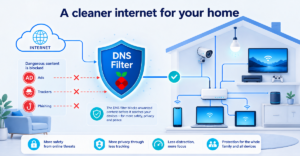
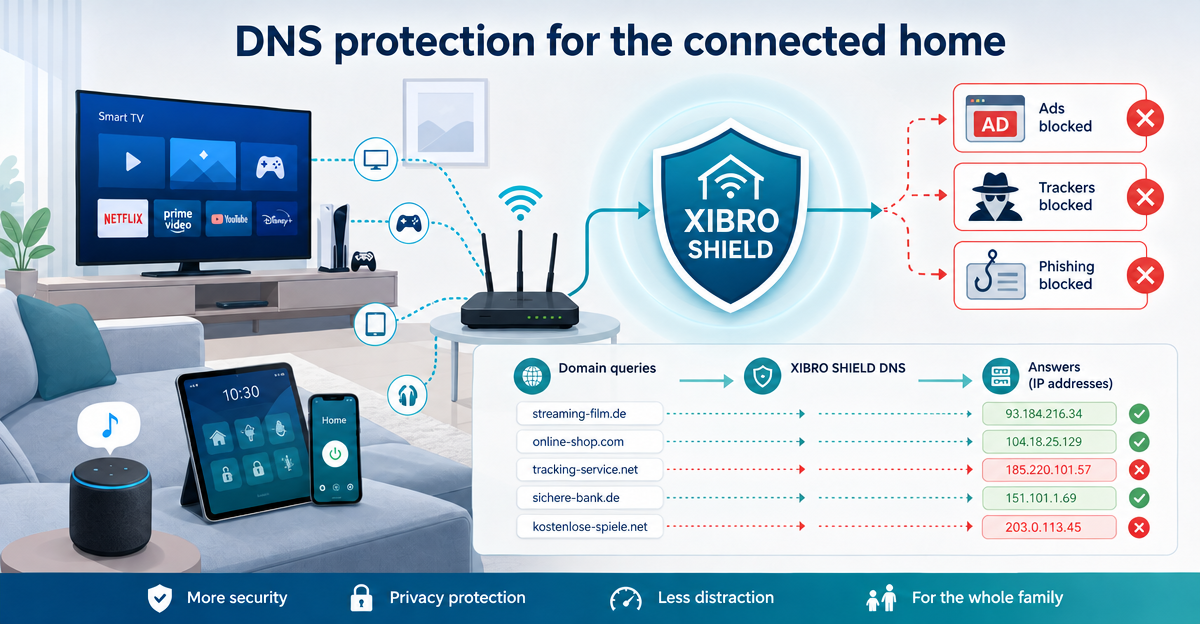
DNS filtering starts early. Before a device can reach a known unwanted domain, it asks for its address. If this domain is on a filter list, the request is blocked.
This way ads, trackers and phishing domains can be reduced at domain level. That often makes everyday digital life calmer. Fewer unnecessary requests. Less distraction. Less risk from known malicious destinations.
But there is an honest limit: DNS filtering is not a complete content analysis of your traffic. It does not read along with every page and does not assess every single image or video. It decides on the basis of domains. That is exactly why it is simple, fast and well suited to everyday life. Also, devices with a hard-coded DNS server or their own DNS over HTTPS can partly bypass the filtering.
The problem: you can’t install anything on some devices
On a smartphone or laptop, a protection solution can often be set up directly. With a smart TV, a console or many IoT devices it is different. There is often no way to store your own configuration on them.
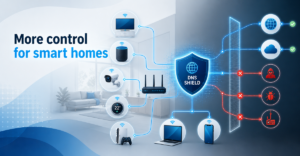
This is where the router comes in. If a compatible router supports WireGuard, protection can run centrally via the home network. Then devices on which you cannot install anything yourself are included too.
For this, XIBRO SHIELD uses a WireGuard tunnel for DNS filtering with Pi-hole. Only DNS queries go through the tunnel; all other traffic runs directly as usual. Your public IP address and the country of your connection stay the same. So XIBRO SHIELD is not a classic VPN service, but a digital shield for cleaner DNS queries in everyday life.
Smart home protection via the router: who is it worthwhile for?
This solution makes particular sense for households with many devices. In other words, where not only the phone and notebook are online, but also the TV, the console, the children’s tablets, smart lights or other connected devices.
With XIBRO SHIELD, protection via a compatible router is available in the FAMILIE and ZUHAUSE plans. FAMILIE suits households with several people: up to 20 devices plus a router. ZUHAUSE is aimed at larger, more connected households: up to 30 devices plus a router. Devices behind the router do not count.
Worth knowing: all devices behind the router share the same filter rules and appear together in the statistics as the router. There is no separate profile for the TV or console there – only a device with its own WireGuard configuration gets its own profile.
Another point is transparency: DNS filtering runs on our servers in Germany. DNS logs are stored without your IP address and deleted automatically after 91 days. The data is used for the statistics in your account, for example so you can see how many queries were filtered.
Conclusion: even quiet devices talk to the internet
Smart TVs, consoles and IoT devices often seem passive. In reality they make DNS queries regularly. Many of them are harmless, some unnecessary, a few potentially unwanted.
A DNS filter for smart TVs and consoles can help to block known ad, tracking and phishing domains early. Via a compatible WireGuard router, devices that cannot be set up individually can also be protected.
If you want to protect your home network more simply and clearly, take a look at XIBRO SHIELD on xibro.de. You can decide calmly whether the service suits your home – the 30-day money-back guarantee applies to paid plans.
NoteXIBRO SHIELD is currently still in the Early Access phase – plans can currently only be activated with an invitation code. Regular sales will start later.