Parents know the situation: one child is looking for homework help, another is watching a video, and suddenly ads, strange pop-ups or dubious links appear. Not everything online is dangerous. But a lot of it is unnecessary, distracting or simply not suitable for children.
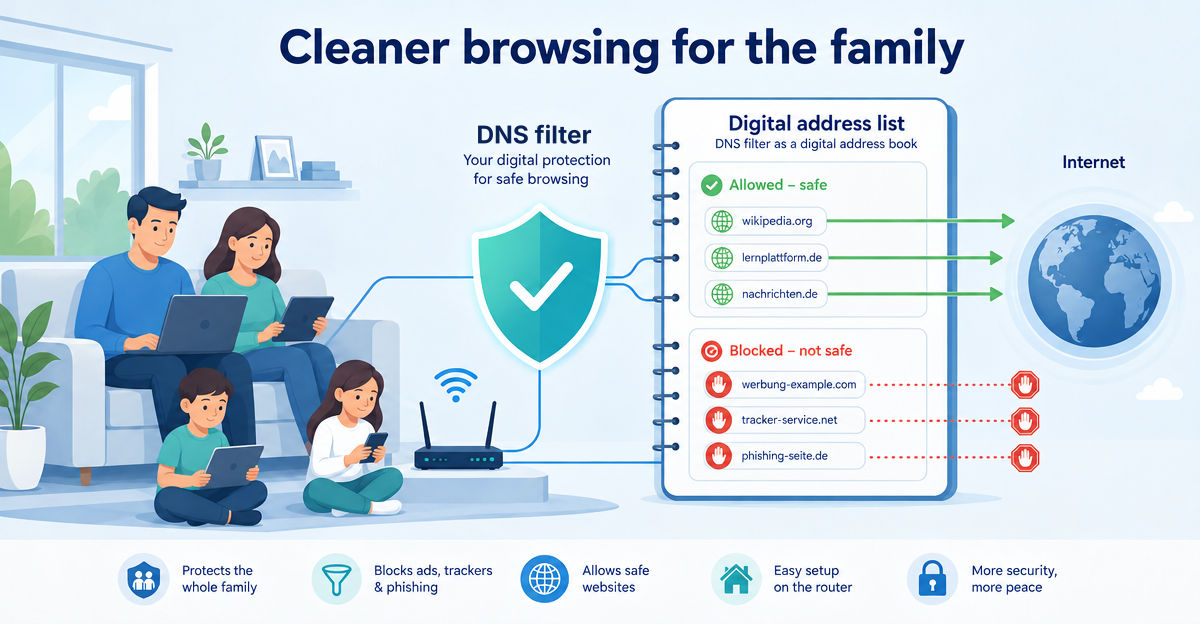
This is exactly where DNS filtering helps. It sounds technical, but it is easy to understand in everyday life. Imagine the internet as a huge city. Every website has an address. DNS is the digital phone book that translates names like “example.com” into technical addresses.
Good DNS filtering for the family ensures that certain known ad, tracking or phishing destinations are never opened in the first place. Not with a wagging finger, but like a friendly bouncer for everyday family life online.
What does DNS filtering mean, explained simply?
When your child opens a website, the device first asks: “Where can I find this address?” This query goes through the so-called Domain Name System, DNS for short. It translates a web address into the technical address that computers understand.
DNS filtering checks this query before content is loaded in the browser or in an app. If the requested domain is on a list of known ad, tracking or phishing sites, it is blocked. This happens early in the process. In other words, before disruptive content can even spread.
That is a big difference from many classic ad blockers in the browser. DNS filtering can also work in apps, because it doesn’t only start in the browser. For families that is practical, because children today don’t just use websites, but also games, learning apps and video platforms.
Why does DNS filtering make sense for families?
Children click quickly. Sometimes out of curiosity, sometimes by mistake. A colourful button looks harmless, but doesn’t always lead somewhere good. DNS filtering can help block known problematic destinations.
- Fewer annoying ads in everyday life
- Less tracking by known tracking domains
- Protection against many known phishing sites
- More peace when learning, playing and browsing
What matters is: no system replaces attention, conversations and clear family rules. But basic technical protection takes work off parents’ hands. It is like a seat belt in a car: you hope you’ll never urgently need it, but you are glad it is there.
How XIBRO SHIELD helps
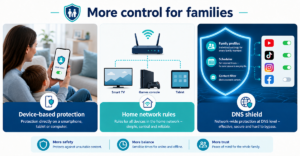
XIBRO SHIELD uses DNS filtering via a secure WireGuard tunnel and Pi-hole. Put simply, this means: your devices query a filtered digital address book. Known ad, tracking and phishing domains are already blocked at DNS level.
What is particularly important for parents: XIBRO SHIELD is not a classic VPN service. Your own IP address is not changed. The country of the connection stays the same too. It is not about pretending to be someone else online. It is about making normal everyday internet use cleaner and safer.
Another advantage: one account can be used on several devices at the same time, on up to 30 devices depending on the plan – in the FAMILIE and ZUHAUSE plans also on the home router. So protection can be set up not just on one laptop, but for the whole family. Setup usually only takes 5–7 minutes and doesn’t require a degree in technology. Making coffee sometimes takes longer.
Data-economical everyday life without unnecessary complexity
Many parents want to protect their family, but don’t want to study router menus every evening. That is why XIBRO SHIELD focuses on simple use. The server is located in Germany. The DNS logs contain no IP address and are deleted automatically after 91 days – the statistics in your account are created from them; they are not passed on.
Here too: XIBRO SHIELD doesn’t promise complete anonymity and doesn’t replace media literacy. But it reduces many annoying and risky contacts online before they appear on the screen. For families, that is often exactly the right start.
Conclusion: a digital address book with a protective function
DNS filtering isn’t rocket science. It is more like a smart digital address book that never opens known unwanted destinations in the first place. For families that means fewer ads, less tracking and more peace in everyday life.
If you want to protect your family’s internet access more simply and conveniently, you can try XIBRO SHIELD on xibro.de. A 30-day money-back guarantee applies to all plans in case the service doesn’t suit your everyday life.
NoteXIBRO SHIELD is currently still in the Early Access phase – plans can currently only be activated with an invitation code. Regular sales will start later.